Schneider 140CHS21000 Hot Standby Kit Troubleshooting Guide for Quantum PLC Communication Faults
Time:2026-10-21 Browse: 0
Why Schneider 140CHS21000 Redundancy May Fail
Schneider 140CHS21000 Hot Standby Kit faults commonly become apparent when the primary Modicon Quantum PLC continues controlling the process but the standby controller remains offline or fails to synchronize. The most useful starting points are the 140CHS11000 module indicators, the duplex fiber-optic communication path, controller configuration consistency, and S908 remote I/O connections. Replacing the complete kit before isolating the fault can introduce unnecessary downtime without correcting the underlying problem.
Diagnose the Failure Before Replacing the 140CHS21000 Kit
When a redundant PLC system loses standby availability, first determine whether the primary controller is still executing the application and whether the standby controller can communicate with it.
Record the following evidence:
The operating status of both Quantum CPUs.
The Ready, Com Act, Primary, Com Err, and Standby indicators on each Hot Standby Module.
Any controller diagnostic messages or CHS software errors.
Recent changes to fiber-optic cabling, rack hardware, firmware, or the control program.
The status of the S908 remote I/O network.
This information separates a complete controller failure from a loss of redundancy. If the primary controller remains operational, preserve its current state while investigating the standby path under the site's approved maintenance procedure.
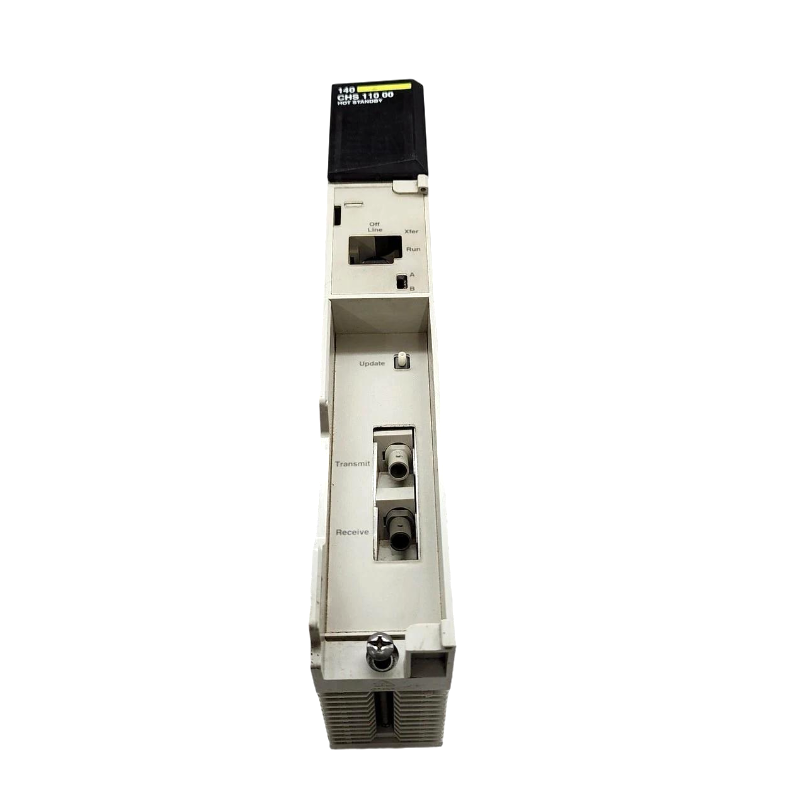
Case Analysis: 140CHS21000 Standby Controller Remains Offline
Consider a representative fault scenario: after maintenance, the primary Quantum PLC runs normally, but the second controller never enters standby mode.
The investigation should proceed by eliminating external causes first. Inspect the duplex fiber-optic cable, verify the transmit-to-receive connections, and confirm that both modules are correctly installed. Next, compare the A/B designations and examine controller diagnostics.
If the communication indicators suggest that the link is unavailable, focus on the cable path and module interfaces. If the link appears active but synchronization does not complete, examine the CHS software, controller compatibility, and configuration differences.
This is an illustrative engineering case, not a verified service report. The actual root cause must be established from the equipment's diagnostic evidence.
Fiber-Optic Communication Fault Diagnosis for Schneider 140CHS21000
The 140CHS21000 kit uses a duplex fiber-optic cable to connect the two 140CHS11000 Hot Standby Modules. Each strand carries signals in one direction, making correct cable orientation essential.
A common failure pattern occurs when a connector is moved during cabinet maintenance and the strands are reconnected incorrectly. The primary PLC may continue operating, while the standby system cannot establish the required communication link.
Check both ends of the cable against the documented port arrangement. Inspect the connectors, verify that the cable is the specified type, and use compatible optical test equipment if the fault remains unresolved.
The supplied cable is 3 m long. If an extended link is installed, verify its compatibility, connector requirements, and supported optical distance against the applicable system documentation rather than assuming that any fiber cable will work.
Do not disconnect a live redundant communication link casually. Evaluate the impact on process availability and follow the manufacturer's maintenance instructions before testing or changing connections.
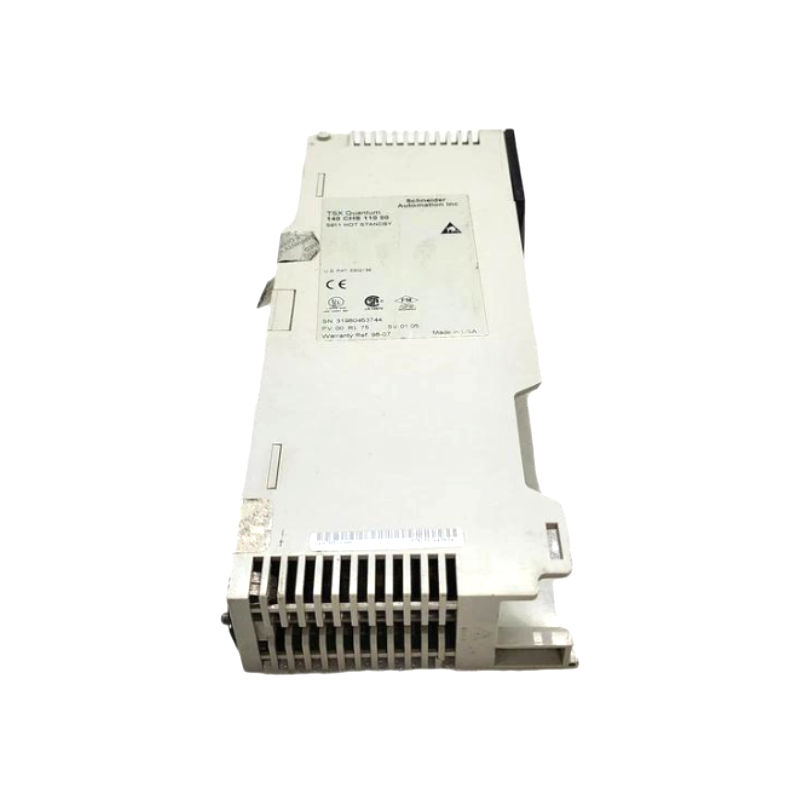
Distinguishing a 140CHS21000 Configuration Fault from a Hardware Fault
Not every synchronization failure indicates a defective Hot Standby Module. Differences between the two controller systems can prevent the intended redundant operation even when the hardware is functional.
Compare the following items:
| Diagnostic area | What to investigate |
|---|---|
| CPU compatibility | Supported processor models and firmware revisions |
| CHS software | Correct loadable version and compatible engineering environment |
| Controller configuration | Relevant configuration tables, I/O maps, and scheduler settings |
| Module designation | Correct and opposite A/B switch positions |
| Remote I/O | S908 network connections, splitters, and termination components |
| Module diagnostics | Persistent hardware or initialization errors |
A particularly important distinction is whether the fault appeared immediately after a program download or hardware replacement. If so, review the maintenance record and compare the current configuration with the last known working version.
Only consider module replacement after external wiring, configuration, and compatibility issues have been investigated. Where replacement is justified, change one component at a time when the approved procedure permits it.
S908 Remote I/O Faults Affecting 140CHS21000 Redundancy
The Hot Standby Kit also includes components for the S908 remote I/O connection. A remote I/O problem can complicate troubleshooting because controller communication and field I/O availability are separate diagnostic concerns.
Inspect the coaxial connections, splitter installation, and termination accessories against the network diagram. Check whether the fault affects both controllers or only one rack, and determine whether remote I/O diagnostics indicate a network problem.
For example, if both controllers report a remote I/O fault after a splitter is replaced, investigate the shared network path and termination arrangement before condemning either Hot Standby Module. The shared change provides a useful diagnostic lead, although the actual cause still requires confirmation.
Avoid disturbing network terminations while the process is running unless the maintenance plan explicitly permits the action.
Recovery Verification After a Schneider 140CHS21000 Fault
After correcting the suspected fault, confirm that the primary controller remains stable, the fiber-optic link is functioning, and the standby controller reaches the required synchronized state.
A successful recovery should be supported by observable evidence:
No unresolved communication or synchronization errors.
Expected module indicators on both racks.
Correct primary and standby roles.
Consistent controller configuration.
Verified remote I/O operation.
A successful, approved switchover test where required.
Record the fault symptoms, diagnostic findings, corrective action, and post-repair status. If a measured switchover time is required, obtain it from an actual controlled test. Do not substitute estimated values for recorded commissioning data.
If the system continues to fail after external causes have been eliminated, consult the applicable Quantum Hot Standby documentation and qualified service personnel before returning the system to unrestricted operation.
Long-Tail Keywords for Schneider 140CHS21000 Troubleshooting
This Fault Diagnosis guide addresses Schneider 140CHS21000 Hot Standby Kit troubleshooting, Modicon Quantum standby controller offline faults, 140CHS11000 fiber-optic communication errors, Quantum PLC synchronization failure, S908 remote I/O network troubleshooting, and redundant PLC recovery procedures.
The key troubleshooting principle is to isolate communication, configuration, and remote I/O faults before replacing hardware. This method provides a more defensible engineering diagnosis and helps restore redundancy without introducing avoidable changes to a functioning primary control system.