Foxboro P0973CN Expansion Backplane Fault Diagnosis and Troubleshooting Guide
Time:2026-10-29 Browse: 2
Recognizing Foxboro P0973CN Expansion Backplane Communication Faults
Foxboro P0973CN Expansion Backplane faults can present as missing expansion modules, intermittent fieldbus communication, abnormal controller diagnostics, or loss of one redundant communication path. These symptoms do not automatically indicate a defective backplane. A disciplined Troubleshooting process should separate physical connection problems, supply issues, module faults, and configuration errors before replacement is considered.
The P0973CN supports a defined FCP270/FEM100 arrangement, so diagnosis should begin by identifying which module or communication path is affected and whether the problem is isolated or shared across the assembly.
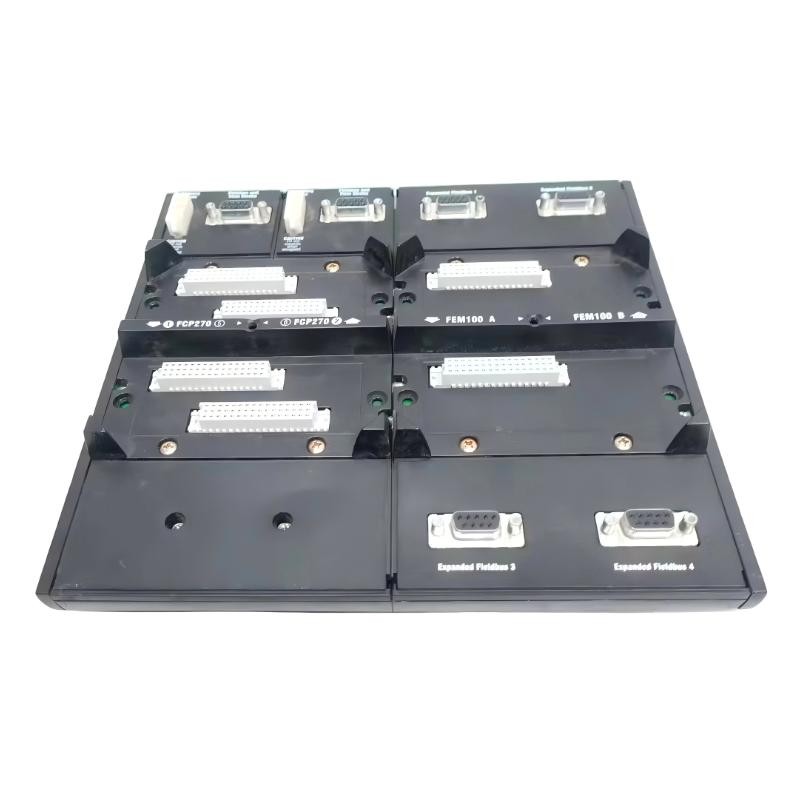
Foxboro P0973CN Fault Symptoms and Diagnostic Priorities
The pattern of the fault is often more useful than the alarm description alone.
When one FEM100 is unavailable, inspect its seating, local diagnostic state, assigned position, and associated connections. When both expansion paths report errors, investigate shared infrastructure, power distribution, and common configuration dependencies.
If the FCP270 processors remain available but downstream modules become unreachable, trace the communication path from the processor through the FEM100 interface and expansion bus toward the affected modules. This avoids assuming that a healthy processor means the entire expansion subsystem is functioning correctly.
Before clearing alarms, record the diagnostic timestamps, affected module identities, and the order in which failures appeared.
Foxboro P0973CN Troubleshooting: Separating Power and Bus Problems
A backplane-related fault can resemble a module failure when the underlying issue is actually an electrical connection or communication-path problem.
Start by comparing the observed symptoms with the installed system's documented power and bus requirements. Inspect connectors for poor engagement or visible damage, and verify supply status using approved test points and procedures. Never probe live equipment unless the method is authorized for that assembly.
The Series 200 baseplate family supports primary and secondary 24 V DC power and communication connections, but the applicable wiring and acceptance limits must be confirmed for the actual configuration.
Next, examine the bus topology. Check that the intended A/B paths are connected to the correct interfaces and that inter-baseplate cabling meets the specified requirements. A communication fault that follows one path is different from a failure that affects both paths simultaneously.
Foxboro P0973CN Fault Diagnosis Case: One Redundant Bus Path Is Unavailable
In a representative maintenance scenario, an FCP270 system remains operational, but diagnostics indicate that one redundant expansion-bus path is unavailable.
The first task is to establish whether the remaining path is healthy and whether the process is operating within the site's approved degraded-mode conditions. Do not initiate a forced switchover simply to test a hypothesis.
The engineer should then compare the status of the two paths, inspect the affected path's connectors and cable routing, and review diagnostic events for a common initiating cause. If the fault is limited to one connection route, a cable or interface issue becomes more plausible than a complete backplane failure. If the fault persists after the external path has been verified, the investigation can move toward the associated module or backplane interface.
Following an approved correction, confirm restoration of the affected path and verify redundancy readiness using the documented test procedure.
This case illustrates diagnostic reasoning rather than reporting a confirmed P0973CN field failure. No measured recovery time or unverified fault rate is implied.
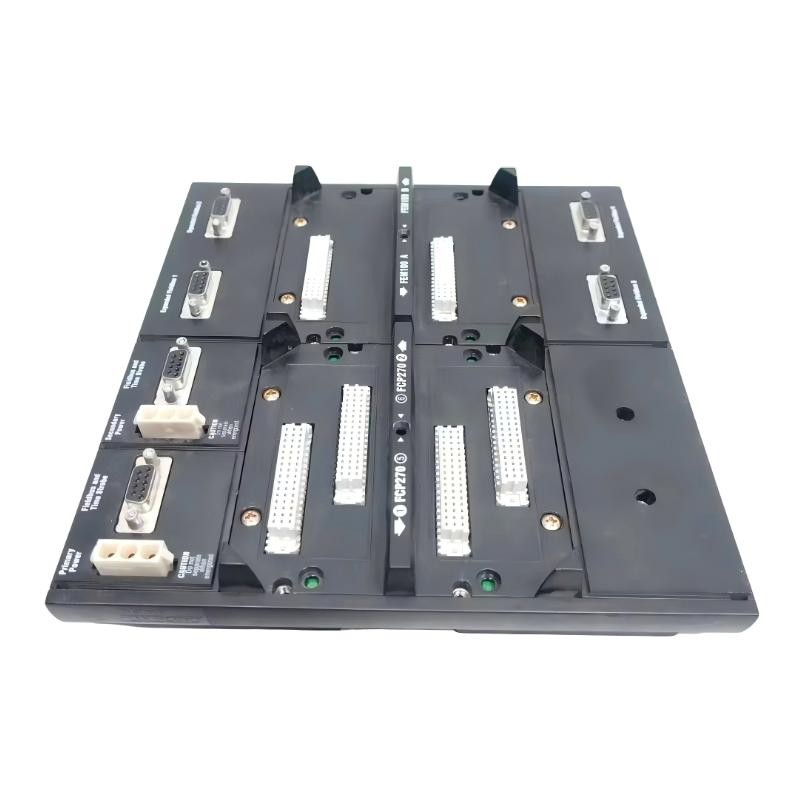
Foxboro P0973CN Expansion Backplane Repair and Recovery Verification
Repair should target the component supported by the diagnostic evidence. Replacing the backplane without checking module seating, power distribution, bus cabling, and configuration can leave the original problem unresolved.
Before authorizing replacement, look for repeatable evidence such as visible connector damage, persistent interface errors, or a fault that remains associated with the backplane after approved external checks. Any substitution should preserve the required hardware compatibility and approved configuration.
After repair, confirm that:
All expected modules are recognized.
Processor and FEM100 diagnostics are normal.
Both required communication paths are available.
No related alarms recur during the specified observation period.
The final System Configuration matches the approved design.
If a fault returns, preserve the new diagnostic evidence rather than repeating the same reset or replacement procedure without further investigation.
Foxboro P0973CN Troubleshooting Keywords and Long-Tail Fault Questions
This Fault Diagnosis guide covers Foxboro P0973CN Expansion Backplane troubleshooting, FCP270 expansion-bus communication errors, FEM100 module recognition failures, redundant-bus faults, and post-repair commissioning checks.
A reliable Troubleshooting strategy follows the evidence from the affected module or communication path back toward shared infrastructure. Confirmed root-cause analysis, controlled corrective action, and documented recovery checks are more effective than replacing a backplane based on an alarm alone.