Allen Bradley 1606-XL480EPT Power Supply Installation Guide
Time:2026-07-30 Browse: 24
Overview of Allen Bradley 1606-XL480EPT Power Supply Installation
Allen Bradley 1606-XL480EPT power supply installation requires correct AC input wiring, DC output verification, and proper system configuration to ensure stable operation in industrial control applications. This 480 W class DIN rail power supply is commonly integrated into PLC control panels, remote I/O cabinets, and automation systems where reliable 24 VDC power distribution is critical.
During field commissioning, most startup issues are not caused by internal power supply failure but by incorrect input voltage selection, loose terminal connections, insufficient protection devices, or poor cabinet heat management. A practical Installation Guide approach helps technicians avoid unnecessary replacements and improve system reliability.
Brand: Allen Bradley
Country of Origin: United States
Product Type: Industrial Switching Power Supply
Allen Bradley 1606-XL480EPT Power Supply Application and System Role
The Allen Bradley 1606-XL480EPT serves as a primary DC power source for industrial automation equipment, providing regulated DC voltage for PLC Controller systems, communication modules, sensors, actuators, and other control devices.
In a typical automation cabinet, the power supply works together with:
Allen Bradley PLC Controller platforms
Remote I/O modules
HMI operator interfaces
Industrial Ethernet communication equipment
Field sensors and instrumentation devices
Before installation, engineers should confirm the total DC load requirement. A 24 VDC control system with multiple modules may experience voltage drops if the power supply capacity and cable sizing are not correctly calculated.
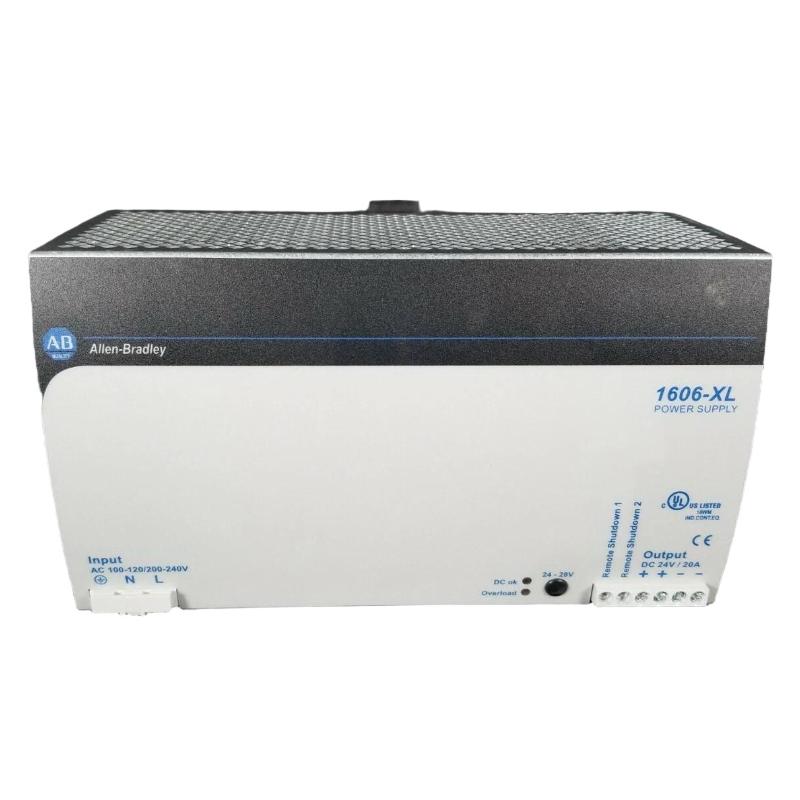
Allen Bradley 1606-XL480EPT Power Supply Installation Preparation
A successful setup begins before mounting the unit on the DIN rail. Field engineers normally check the following conditions:
Electrical Verification
Confirm that the available AC supply matches the power supply input specification.
Typical inspection points include:
AC voltage stability
Protective circuit breaker rating
Grounding connection quality
Panel wiring condition
A multimeter should be used to verify the incoming voltage before energizing the system.
Cabinet Environment Check
The installation location should provide:
Adequate airflow around the power supply
Separation from high-temperature devices
Proper DIN rail mounting position
Reduced exposure to vibration and contamination
Poor ventilation is a common reason for premature power supply degradation in industrial panels.
Allen Bradley 1606-XL480EPT Power Supply Wiring and Connection Guide
Correct wiring is essential for reliable commissioning.
The installation process normally includes:
AC Input Connection
Connect the incoming AC power lines according to the terminal markings.
Field engineers should verify:
Line conductor connection
Neutral conductor connection
Protective earth connection
Incorrect grounding may create noise problems affecting PLC communication and sensor signals.
DC Output Wiring
The 24 VDC output should be distributed through appropriate terminal blocks or fused distribution modules.
Recommended checks:
Confirm positive and negative polarity
Verify cable size according to load current
Keep DC wiring separated from high-voltage cables
A reversed polarity connection can damage connected automation devices even when the power supply itself remains protected.
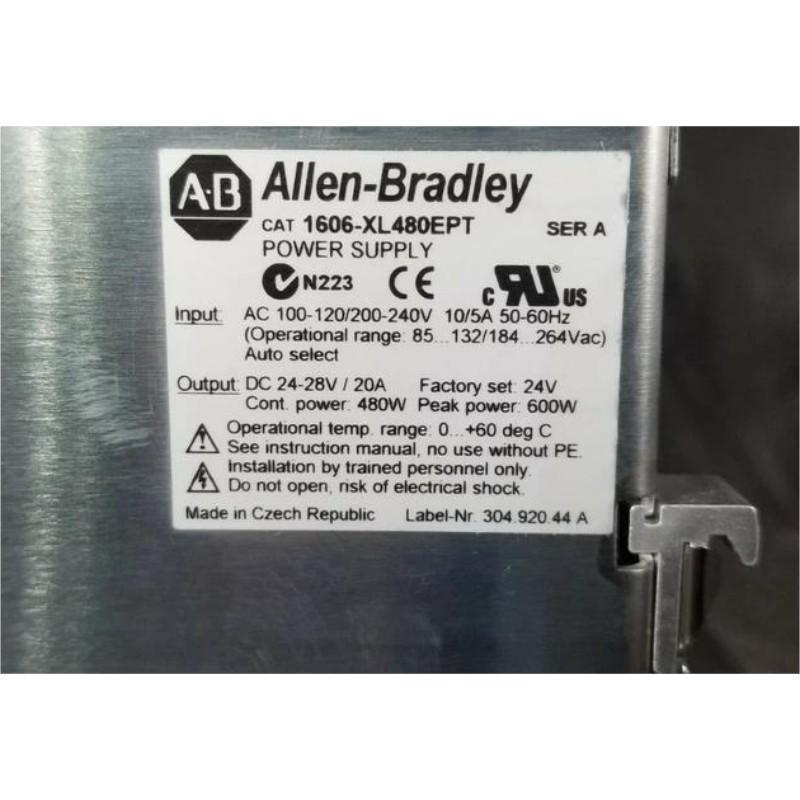
Allen Bradley 1606-XL480EPT Power Supply Setup and Commissioning Procedure
After wiring is completed, commissioning should be performed gradually.
During the initial power-up:
Measure the unloaded DC output voltage.
Connect control devices step by step.
Observe voltage stability under load.
Verify PLC Controller startup behavior.
A typical commissioning check includes:
Output voltage measurement
Load current observation
PLC communication status
Alarm indicator inspection
In one commissioning case, a control cabinet showed unstable PLC startup behavior after replacing an old power supply. The measured output voltage dropped from 24.1 VDC to 21.8 VDC during module startup. After correcting an undersized DC cable connection, the voltage remained stable at 24.0 VDC and the PLC system operated normally.
Allen Bradley 1606-XL480EPT Power Supply Long-Term Reliability Checks
Preventive maintenance helps identify early degradation.
Recommended inspections:
Check terminal tightness every maintenance cycle
Measure output voltage fluctuation
Inspect dust accumulation
Review cabinet temperature trends
A stable DC power system improves PLC Controller availability and reduces unexpected automation downtime.
Allen Bradley 1606-XL480EPT Power Supply Installation Guide Long-Tail Keywords
Common search terms related to this product include:
Allen Bradley 1606-XL480EPT power supply Installation Guide
Allen Bradley 1606-XL480EPT 24VDC power supply setup
1606-XL480EPT commissioning procedure
Allen Bradley industrial power supply wiring guide
1606-XL480EPT PLC cabinet power installation