Foxboro FCP270 P0917YZ Communication Fault Troubleshooting and Fault Diagnosis Guide
Time:2026-10-29 Browse: 2
Diagnosing Foxboro FCP270 P0917YZ Intermittent Communication Faults
Intermittent communication faults on a Foxboro FCP270 P0917YZ Field Control Processor should be investigated by determining whether the problem originates in the processor, network connection, system configuration, or supervisory interface. A controller that repeatedly disappears from the engineering workstation may have a communication-path problem rather than a failed CPU.
The most useful starting point is the fault pattern: whether the interruption affects one controller, several devices on the same network segment, or both paths of a redundant arrangement. This distinction helps narrow the investigation without unnecessary hardware replacement.
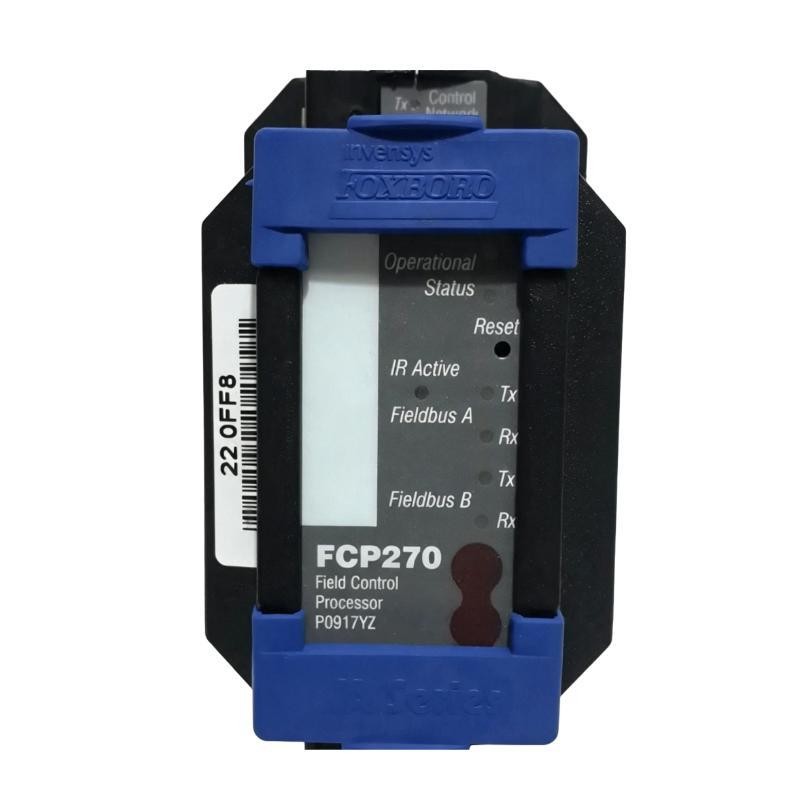
Foxboro FCP270 P0917YZ Fault Symptoms and Initial Evidence
Typical symptoms may include intermittent loss of controller visibility, communication alarms, stale process values, repeated reconnection events, or a discrepancy between local processor indications and the status displayed by the supervisory system.
Record the time of each event and compare it with other system changes. For example, a fault that begins immediately after maintenance may point toward a disturbed connector or altered configuration. A recurring fault that coincides with network switching or electrical disturbances calls for a broader investigation.
Before clearing alarms or restarting equipment, preserve the available diagnostic history. The sequence of events may be more informative than the final alarm state.
Foxboro FCP270 P0917YZ Communication Fault Diagnosis: Isolating the Cause
Use the scope of the failure to guide the investigation.
If only one FCP270 is affected: Inspect its network connectors, cable condition, assigned ports, local diagnostic status, and controller-specific configuration.
If several controllers lose communication together: Investigate shared network equipment, common power sources, network congestion, and supervisory communication services.
If communication fails on one redundant path: Examine that path's physical connection, interface status, and network configuration independently. Confirm the system's redundancy design before attempting any switchover.
If the controller remains locally healthy but data becomes stale: Check the complete data path from controller to supervisory application, including any intermediate network components and configured communication services.
These are diagnostic branches, not proof of a particular root cause. The conclusion should follow from evidence collected at the affected interface.
Foxboro FCP270 P0917YZ Troubleshooting Case: Controller Visible but Data Stale
Consider a representative fault scenario in which the engineering workstation can still identify the FCP270, but selected process values stop updating.
The first observation is that basic controller visibility does not necessarily confirm that every configured data exchange is functioning correctly. The investigation should therefore compare local controller status with supervisory communication quality and the update behavior of affected points.
Review whether the issue affects all values or only a subset. If all values become stale simultaneously, investigate a shared communication path or service. If only selected points are affected, inspect their configuration, source references, update settings, and associated diagnostics.
Next, compare timestamps and error records across the controller and supervisory system. Check for recent configuration changes, interrupted downloads, network events, or interface faults. Restore normal service only after the underlying issue has been identified and the approved recovery procedure has been followed.
This case is an illustrative troubleshooting scenario rather than a documented customer incident. No measured recovery time or confirmed P0917YZ-specific failure rate is assumed.
Foxboro FCP270 P0917YZ Recovery Checks and System Configuration Validation
After correcting a confirmed wiring, network, or configuration issue, verify that the processor remains stable and that communication is restored across the required interfaces.
A recovery record should include:
The original symptom and alarm timestamps.
The affected controller and communication path.
The diagnostic evidence supporting the root-cause conclusion.
The corrective action taken and any configuration changes made.
The observed status after recovery and the results of functional checks.
Avoid replacing a processor solely because a communication alarm is present. If the fault follows a cable, port, network segment, or configuration change, that evidence may point away from an internal processor failure.
Where a restart or hardware replacement is necessary, assess process impact and controller redundancy first. Follow the site's approved change-control, backup, and recovery procedures.
Foxboro FCP270 P0917YZ Fault Diagnosis: Long-Tail Troubleshooting Questions
This troubleshooting guide covers common search topics such as Foxboro FCP270 P0917YZ communication failure, FCP270 controller not visible in the engineering workstation, intermittent DCS communication alarms, stale process data, and System Configuration checks after controller replacement.
The most reliable Fault Diagnosis method is to establish the failure scope, preserve diagnostic evidence, isolate the affected communication path, and validate recovery against documented operating requirements. Processor replacement should be the result of a supported hardware diagnosis, not the first response to an unexplained network alarm.