Allen Bradley 1203-GU6 DeviceNet Module Fault Diagnosis & Troubleshooting Guide
Time:2026-06-01 Browse: 28
Introduction:
Allen Bradley 1203-GU6 DeviceNet module faults often manifest as intermittent communication errors or complete network dropouts. In one refinery case, repeated node timeout errors were traced to a single miswired termination resistor and a loosely seated module, demonstrating that most faults are installation-related rather than hardware failures.
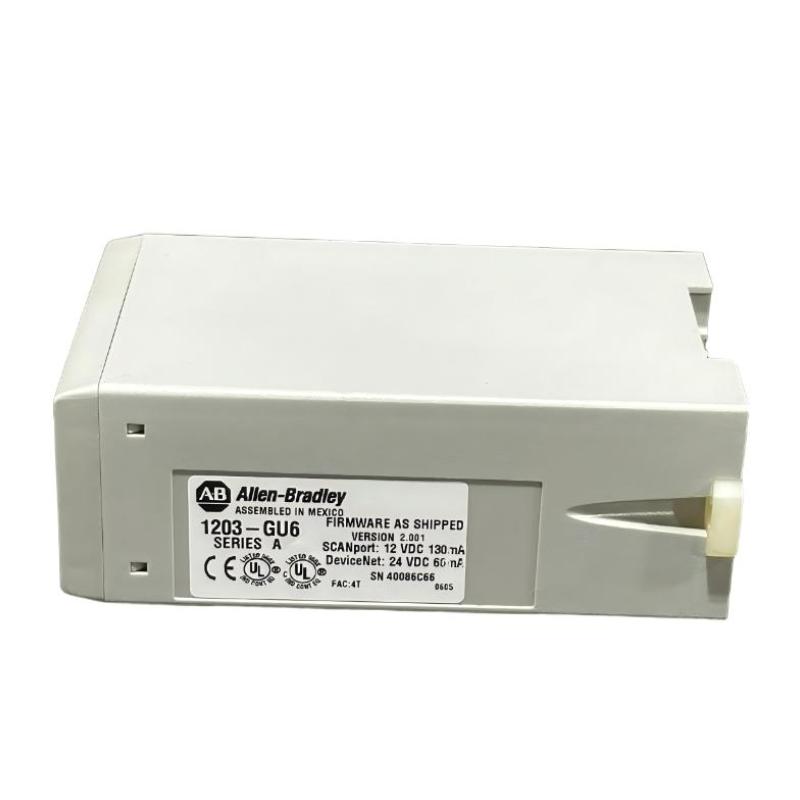
H2: Allen Bradley 1203-GU6 PLC Fault Symptoms
Common symptoms of 1203-GU6 DeviceNet faults include:
Status LED flashing red or amber.
Intermittent node connectivity.
RSNetWorx indicating “duplicate address” or “bus off” errors.
Sporadic I/O updates or delayed PLC responses.
Field observation: In a steel plant, vibration from nearby motors caused the module’s connector to intermittently lose contact, triggering the amber LED fault signal every few minutes.
H2: Root Causes of Allen Bradley 1203-GU6 DeviceNet Module Faults
Real-case analysis shows faults usually originate from:
Wiring errors: Open circuits, cross connections, or shield miswiring.
Termination issues: Missing 120Ω terminators at network ends.
Power supply fluctuations: Voltage dips below 22V DC trigger bus-off conditions.
Network configuration errors: Duplicate node IDs or incompatible baud rates.
Case study: At a food processing plant, swapping the module with a spare eliminated intermittent errors, confirming the original unit had no internal defects.
H2: Fault Diagnosis Procedure for 1203-GU6 DeviceNet Module
Diagnostic approach:
Step 1: Observe LED patterns and log error codes.
Step 2: Use RSNetWorx to scan the network for active nodes and error counts.
Step 3: Measure bus voltage and check for voltage drops under load.
Step 4: Inspect cable routing for EMI sources.
Engineering judgment: Intermittent faults require correlating physical environment data (vibration, EMI) with error logs to identify root causes.
H2: Troubleshooting and Repair Strategies
Practical solutions:
Reseat the module and verify node address configuration.
Replace or properly terminate DeviceNet cables.
Add ferrite cores or reroute cables away from high-power lines.
Monitor bus voltage and, if necessary, upgrade to regulated power supply.
Real-case outcome: After rerouting a 30-meter cable away from a VFD, error counters dropped from 500/hr to zero, restoring stable communication across the network.
H2: Post-Troubleshooting Validation
Confirm status LED remains steady green.
Re-scan network in RSNetWorx to ensure all nodes respond.
Document root cause and fix for future maintenance.
Field experience tip: Always validate over several hours of operation; some intermittent faults only appear under thermal or load stress.