Allen Bradley 1606-XLB240E Power Supply Output Voltage Fault Troubleshooting Guide
Time:2026-08-05 Browse: 25
Allen Bradley 1606-XLB240E Power Supply Fault Symptoms During Operation
Allen Bradley 1606-XLB240E power supply output voltage faults often appear as PLC Controller resets, communication interruptions, or unexpected Module shutdowns. In many industrial cases, the power supply itself is not immediately defective; unstable loads, wiring resistance, or excessive current demand are frequent root causes.
Typical fault symptoms include:
PLC CPU restarting randomly
Remote I/O modules losing communication
Sensor signals disappearing intermittently
DC voltage dropping below normal operating range
Power supply protection status appearing during machine operation
The first step in Fault Diagnosis is to determine whether the issue originates from the 1606-XLB240E unit, the electrical supply, or the connected automation equipment.
Allen Bradley 1606-XLB240E Power Supply Fault Diagnosis Process
A practical troubleshooting approach starts with signal observation.
Engineers usually check:
Input Measurement
Confirm AC input stability
Inspect incoming voltage fluctuation
Check terminal heating marks
Output Measurement
Measure 24 VDC output without load
Measure voltage under actual PLC operation
Monitor voltage during equipment startup
Load Analysis
Disconnect field devices gradually
Identify abnormal current consumption
Compare actual load with expected design values
A common diagnostic mistake is replacing the power supply immediately without checking the connected devices. A failing sensor or damaged Module can create excessive current demand and trigger protection behavior.
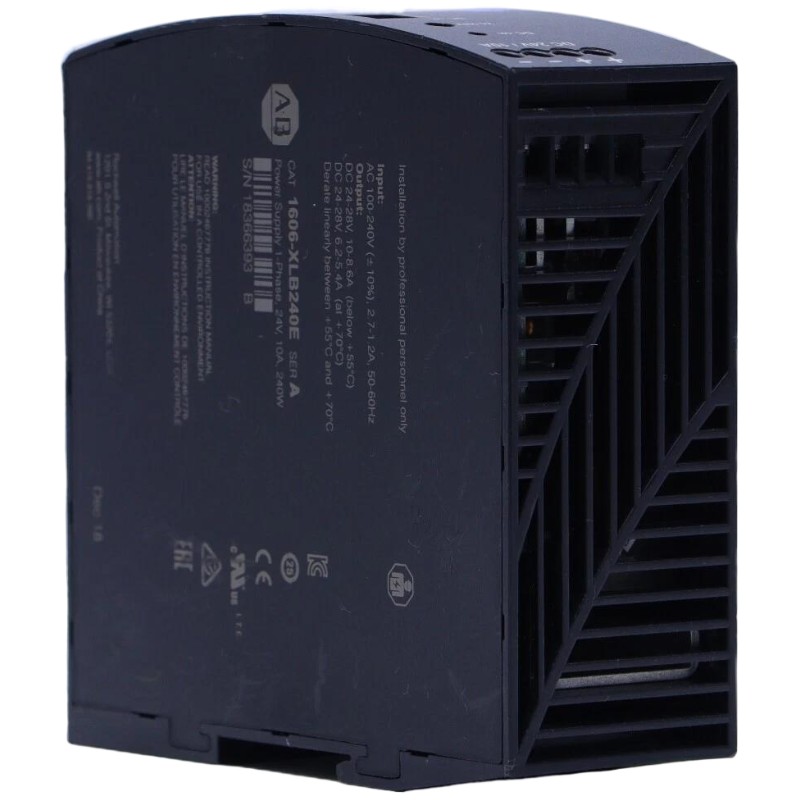
Allen Bradley 1606-XLB240E Power Supply Real Case Analysis: PLC Reset Event
In one factory automation system, operators reported random PLC Controller restarts every two to three hours. The initial assumption was a CPU communication problem.
During troubleshooting, engineers measured the 24 VDC output of the Allen Bradley 1606-XLB240E unit:
Normal condition: 24.1 VDC
During machine startup: voltage dropped to 19.8 VDC
PLC reset occurred at the same moment
Further inspection showed that a newly added actuator circuit shared the same DC branch as the PLC system. The actuator startup current exceeded the original design estimation.
After separating the actuator power line and improving load distribution, the voltage remained between 23.8 VDC and 24.2 VDC. The PLC Controller operated continuously without further resets.
Allen Bradley 1606-XLB240E Power Supply Common Failure Causes and Repair Actions
Common causes identified in field Troubleshooting include:
Overload Condition
When connected devices require more current than expected, the power supply may enter protection mode.
Repair action:
Calculate total DC consumption
Remove unnecessary loads
Add additional power capacity if required
Poor Terminal Connection
Loose terminals increase resistance and generate voltage loss.
Repair action:
Inspect terminal torque
Check heat discoloration
Re-terminate damaged wiring
Environmental Temperature Stress
High cabinet temperature can shorten component life.
Repair action:
Improve airflow
Check cabinet cooling
Avoid installation near heat sources
Allen Bradley 1606-XLB240E Power Supply Repair Verification After Fault Correction
After repair, engineers should complete a full verification process.
Recommended checks:
Confirm stable 24 VDC output
Monitor PLC startup sequence
Verify communication between Controller and Module devices
Record operating voltage during machine cycles
A completed Fault Diagnosis should include not only replacing components but also identifying why the failure occurred.
Allen Bradley 1606-XLB240E Power Supply Troubleshooting Long-Tail Keywords
Frequently searched engineering terms include:
Allen Bradley 1606-XLB240E Power Supply Troubleshooting Guide
Allen Bradley 1606-XLB240E Output Voltage Fault Diagnosis
Allen Bradley 1606-XLB240E PLC Power Failure Repair
Allen Bradley 1606-XLB240E DC Supply Problem Analysis
Allen Bradley 1606-XLB240E Industrial Power Module Troubleshooting